Blog
Modifold August Update
A new Discover page, current game versions in the catalog, project teams, Organizations 2.0, ownership transfers, and more improvements for players and creators.
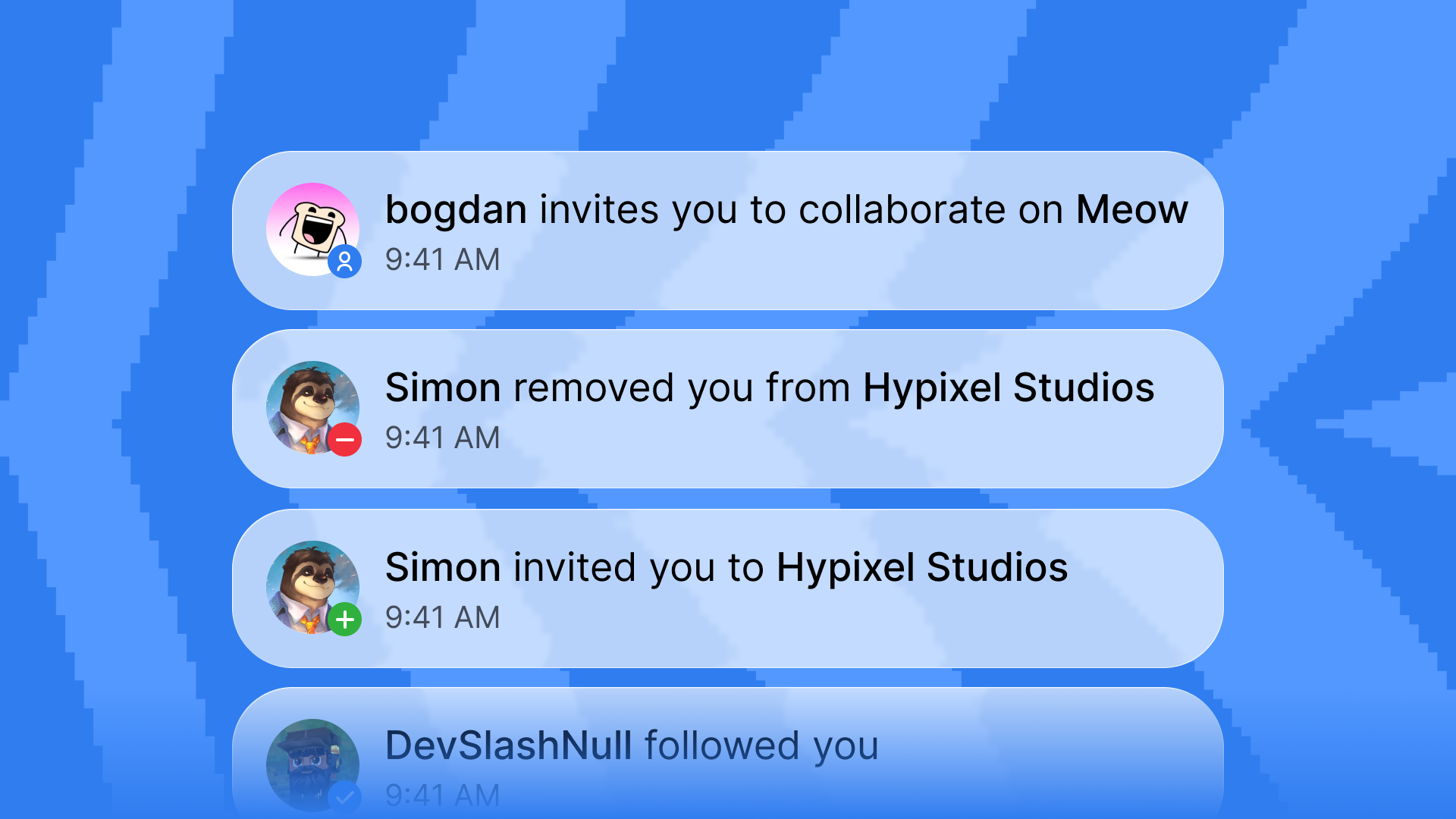
In August, we spent a lot of time improving how people find projects and how creators work on them together. It was quite a challenge, so here is what came out of it:
Modifold now has a new Discover page, the catalog shows projects for the latest Hytale update by default, and working together no longer requires an organization. Organizations also received a major update with proper access controls for individual projects.
There is a lot to cover, so as always, we put everything important into one post.
New Discover page
Modifold now has a new Discover page. It brings mods and worlds together in one place where you can quickly see what is happening across the site.
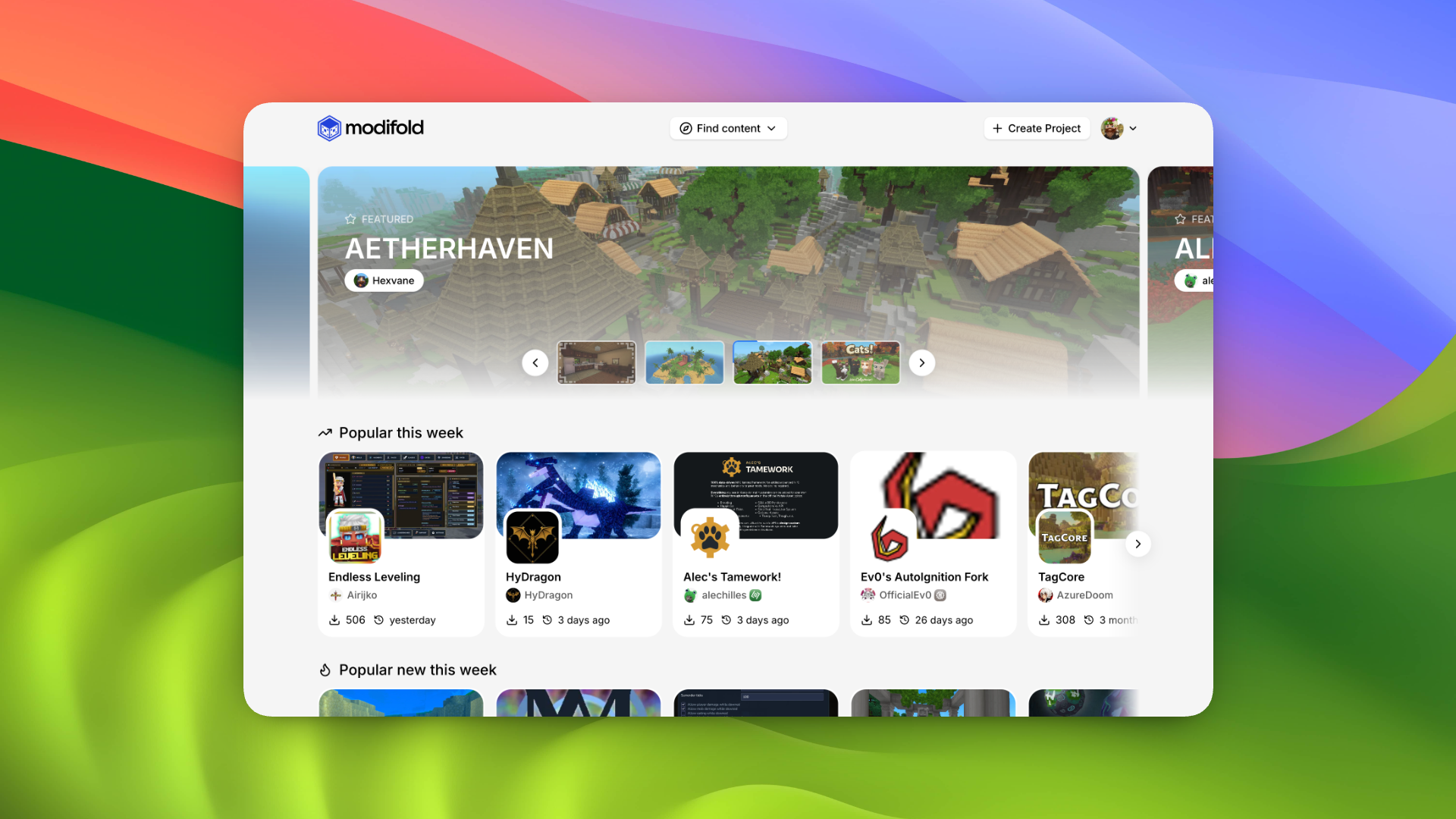
Recommended projects appear at the top. Below them, we added several separate collections:
- popular this week;
- popular new projects this week;
- recently updated projects;
- popular categories;
- recently published projects;
- community events and mod jams.
Each card shows the author, a short description, download count, and the date of the latest update. Hovering over a card reveals more details, so you do not always need to open the full project page just to get a first impression.
Discover does not replace the regular catalogs. If you need search, a specific game version, a category, or sorting, you can still find all of that in Mods and Worlds.
Catalog changes
Popular projects could previously include ones that no longer supported the latest game update. They still worked on older versions, but could simply break on the current one. Yes, we have already run into that.
The catalog now shows only projects that support the latest game update by default. If a project has not been updated yet, it will temporarily stay out of the main results. Ask its author to update the mod for the latest game version!
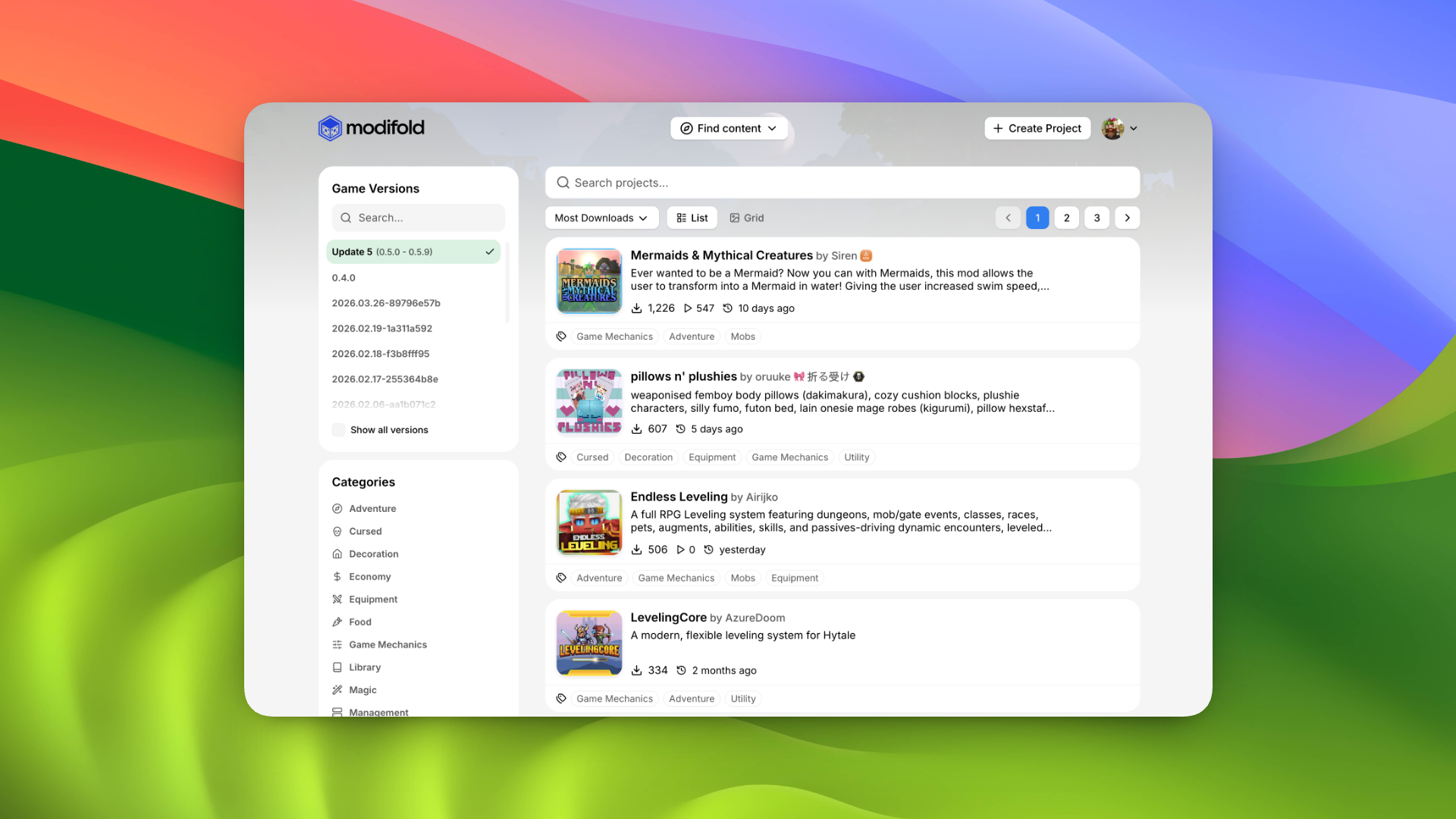
Versions from the same update are also grouped together. For example, Update 5 includes the entire 0.5.x line, from 0.5.0 through 0.5.9. Creators still need to select the exact versions supported by each release, but players no longer have to choose every small patch one by one.
Projects for older versions have not disappeared. You can choose another update, a specific version, or show every version using the filters.
Regular projects now have teams
You no longer need to create an organization just to work on one project with other people.
Every project now has a Team page in its settings. The owner can search for users by username or profile slug, select several people at once, and invite them. Each user receives a notification and decides whether to accept the invitation.
You can configure each team member separately:
- the role shown next to their name;
- whether they appear in the author list on the public project page;
- uploading, editing, and deleting versions;
- editing settings, descriptions, links, and the gallery;
- viewing analytics;
- managing invitations and team members;
- deleting the project.
Someone who only helps with screenshots and descriptions does not need access to versions or project deletion. A developer, meanwhile, can appear in the author list with their real role on the team.
The project can still stay personal or be published under an organization. This is configured on the same Team page.
Transfer a project to another member
A project owner can now transfer full ownership to an accepted team member.
Before the transfer, Modifold shows who will become the new owner and what will change after confirmation. You then need to enter the new owner's slug manually. If two-factor authentication is enabled on your account, Modifold will also ask for a six-digit code for extra protection.
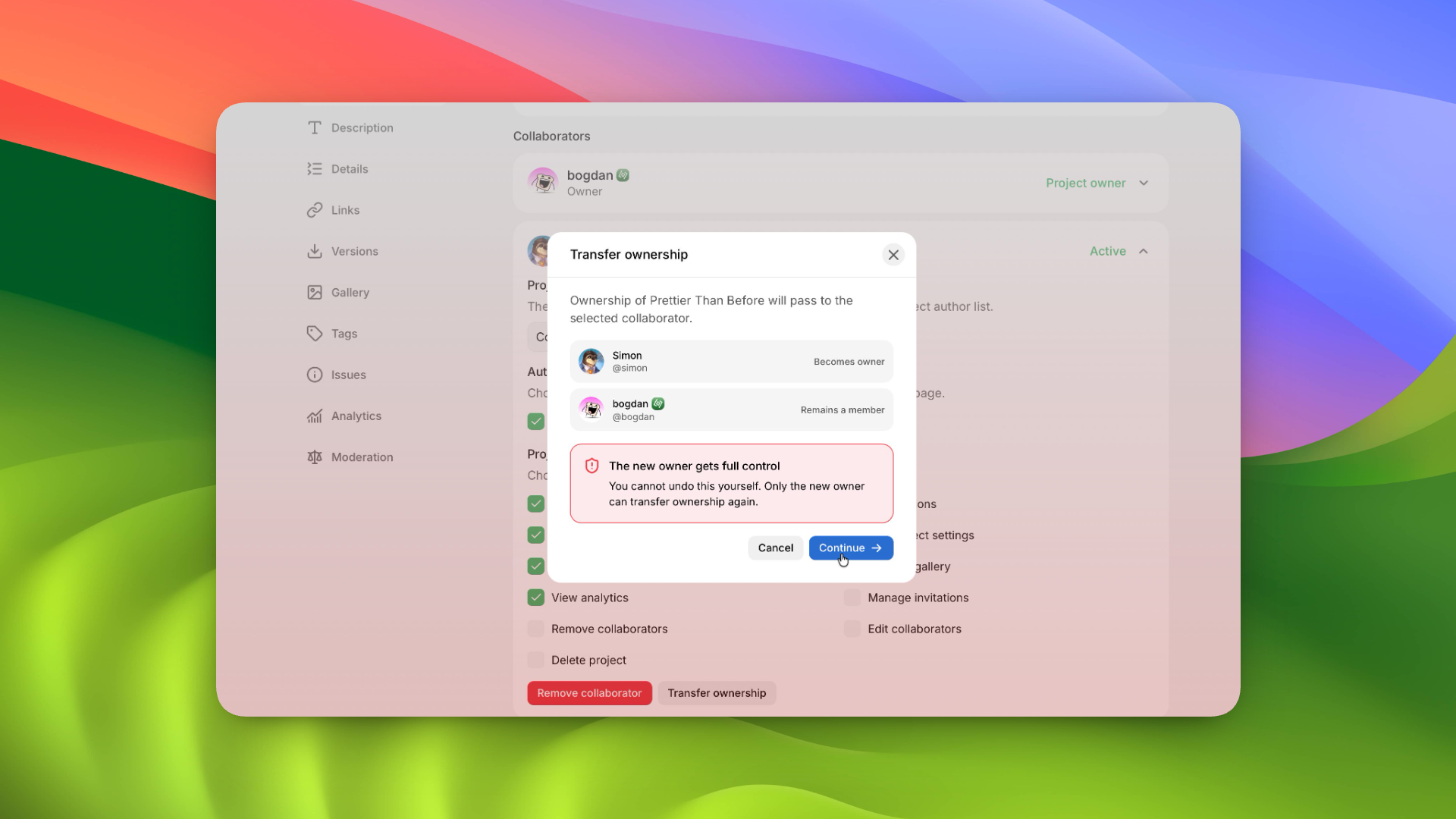
After the transfer, the new owner receives full control of the project. The previous owner remains a team member. The transfer cannot be undone by the previous owner. Only the new owner can transfer the project back.
Organizations 2.0
Organizations received their biggest update since the system first launched.
The first version let you bring members together, give them shared permissions, and publish projects under a team name. That was enough for a small organization, but once several projects were involved, the settings quickly became too broad.
Access can now be configured much more precisely.
Access to individual projects
The organization owner can choose which projects each member can work on.
One person can have access to just one project, another to several, while someone else can have no project access at all and only work with the organization itself.
Permissions are configured separately for every available project. You can allow work on versions and descriptions while keeping team management, analytics, or dangerous actions locked. For example, you can prevent someone from deleting project versions or the project itself.
If a user was also invited directly to the project's own team, that access continues to work independently of their organization role. It can be removed from the project team settings.
Organization permissions
Organization permissions are now separate from project permissions.
You can allow a member to edit the organization page, invite people, manage members, add projects, or detach them. A role such as "Developer," "Designer," or "Manager" is only shown as a label and does not grant any permissions by itself.
This makes it easier to understand what someone does on the team and what they can actually access.
Better invitations
You no longer need to know and manually enter someone's exact slug before inviting them.
Organizations now use the same search as project teams. You can search by username or slug, select several users, and send all invitations at once.
Updated organization pages
We redesigned the organizations page in the user dashboard. Each card now shows your role, the number of members and projects, and organization owners can jump straight into settings.
We also updated the organization project list. Its cards now match the main project dashboard, with proper descriptions, categories, and a quick way to open project settings. A project can also be detached from the organization through a separate menu with confirmation.
Organization projects available to a member now also appear in the project list on their profile.
Transfer an organization
An organization can now be transferred to another accepted member too.
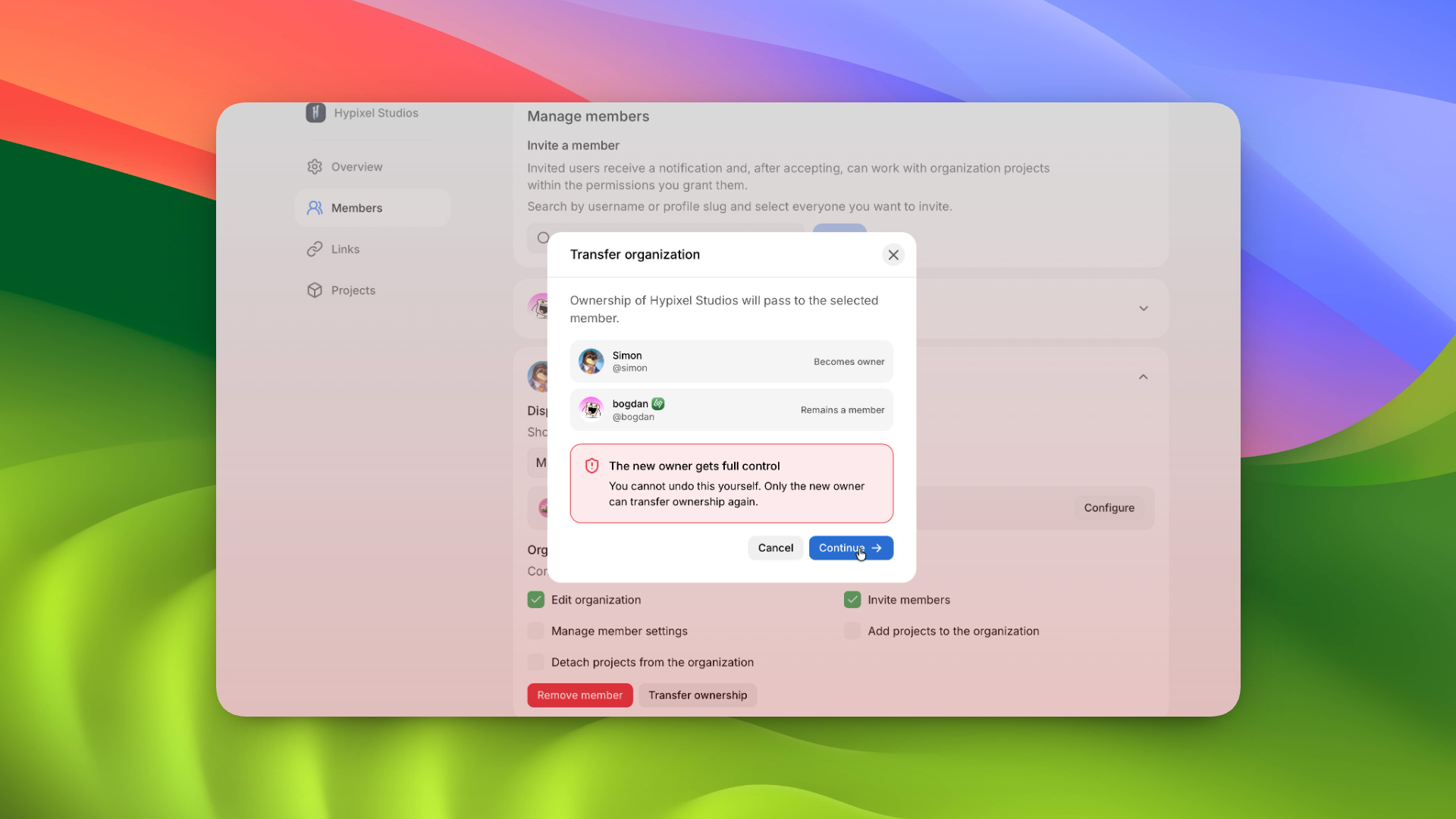
The check works the same way as project transfers. Modifold first shows the consequences, then asks for the new owner's slug and a 2FA code if it is enabled. The new owner receives full control, while the previous owner remains a member of the organization.
This is useful when the person leading a team changes or when the organization was originally created from the wrong account.
New Details page
Project settings now have a separate Details page. The license setting moved there, along with new information that players should know before downloading a project.
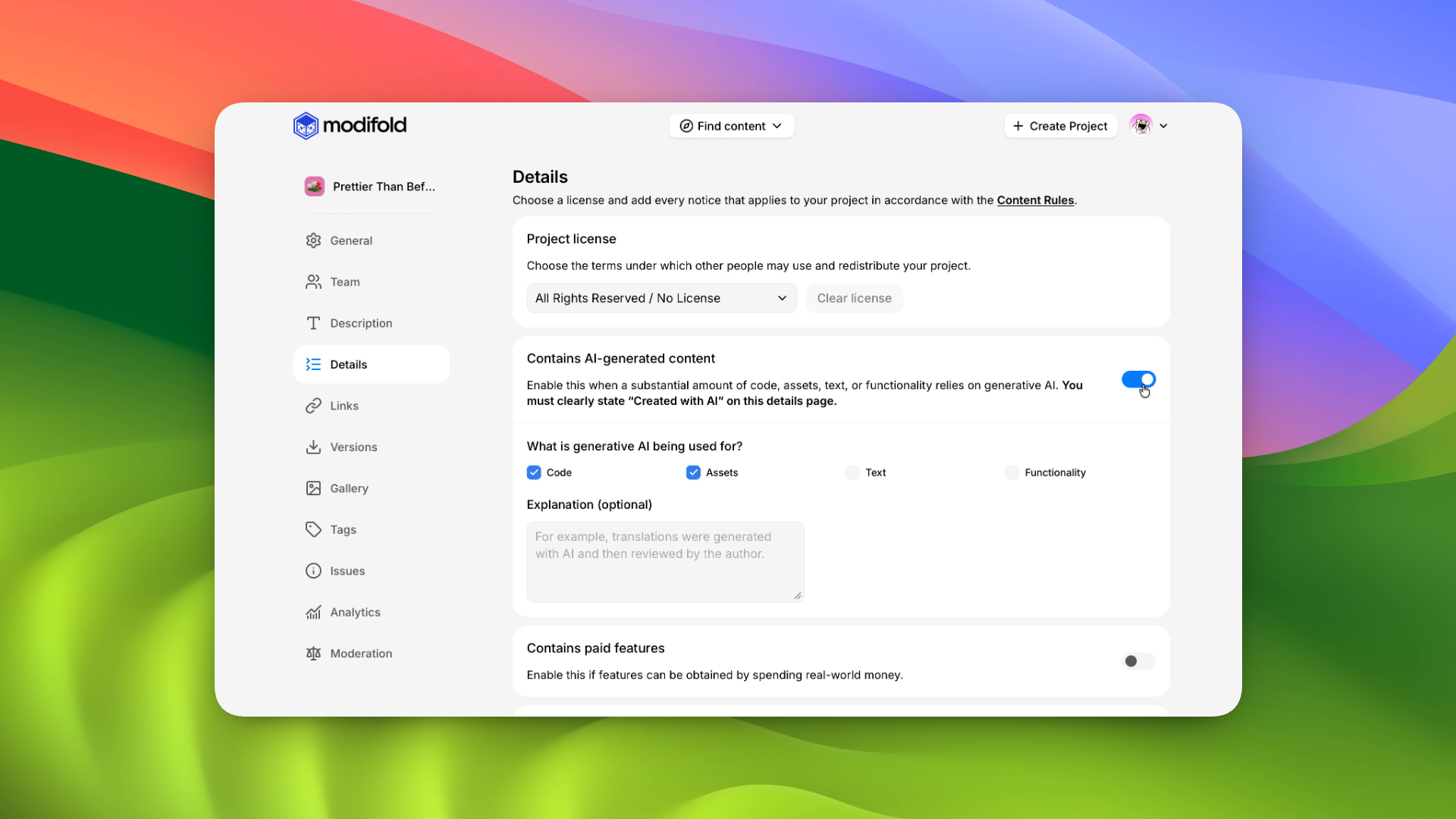
Creators can specify:
- whether generative AI was used for code, assets, text, or features;
- whether the project has paid features;
- whether the project collects telemetry and how users can opt in or out;
- whether it contains flashing lights or other risks for photosensitive people;
- an additional explanation for each item.
Completed details appear on the public project page under What you should know.
We already covered our rules for AI use in a separate post: Less AI slop, more real projects.
Archiving projects
Projects can now be archived from the Details page.
An archived project disappears from catalogs, but stays on the author's profile and remains available through a direct link. Its page shows a notice that the project will no longer receive updates.
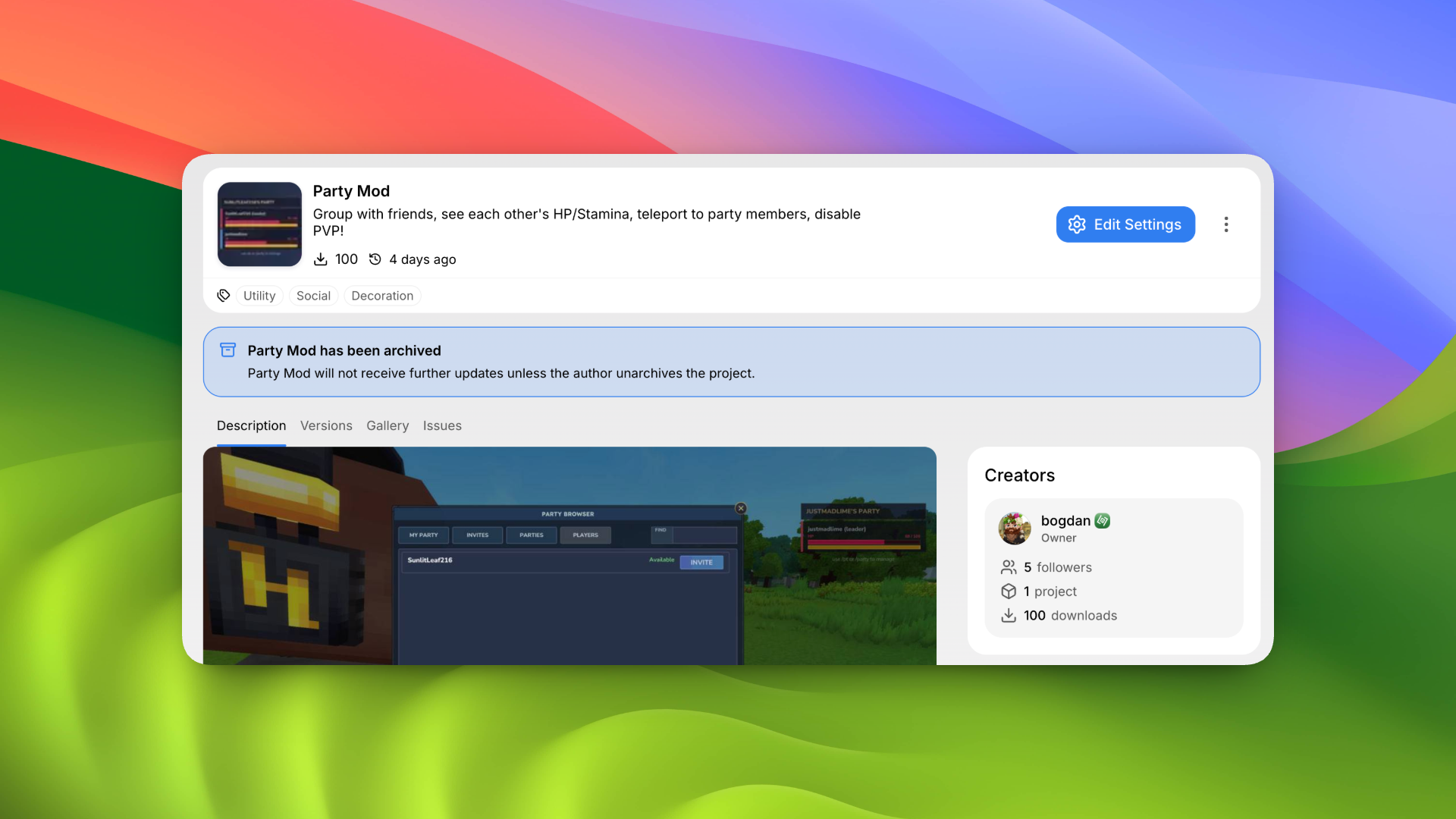
The author can leave a custom message. For example, they can explain the reason, link to a continuation, or allow other people to fork the project. This keeps old work available without making players think it is still supported.
Upload several gallery images at once
You can now upload several images to a project gallery at once.
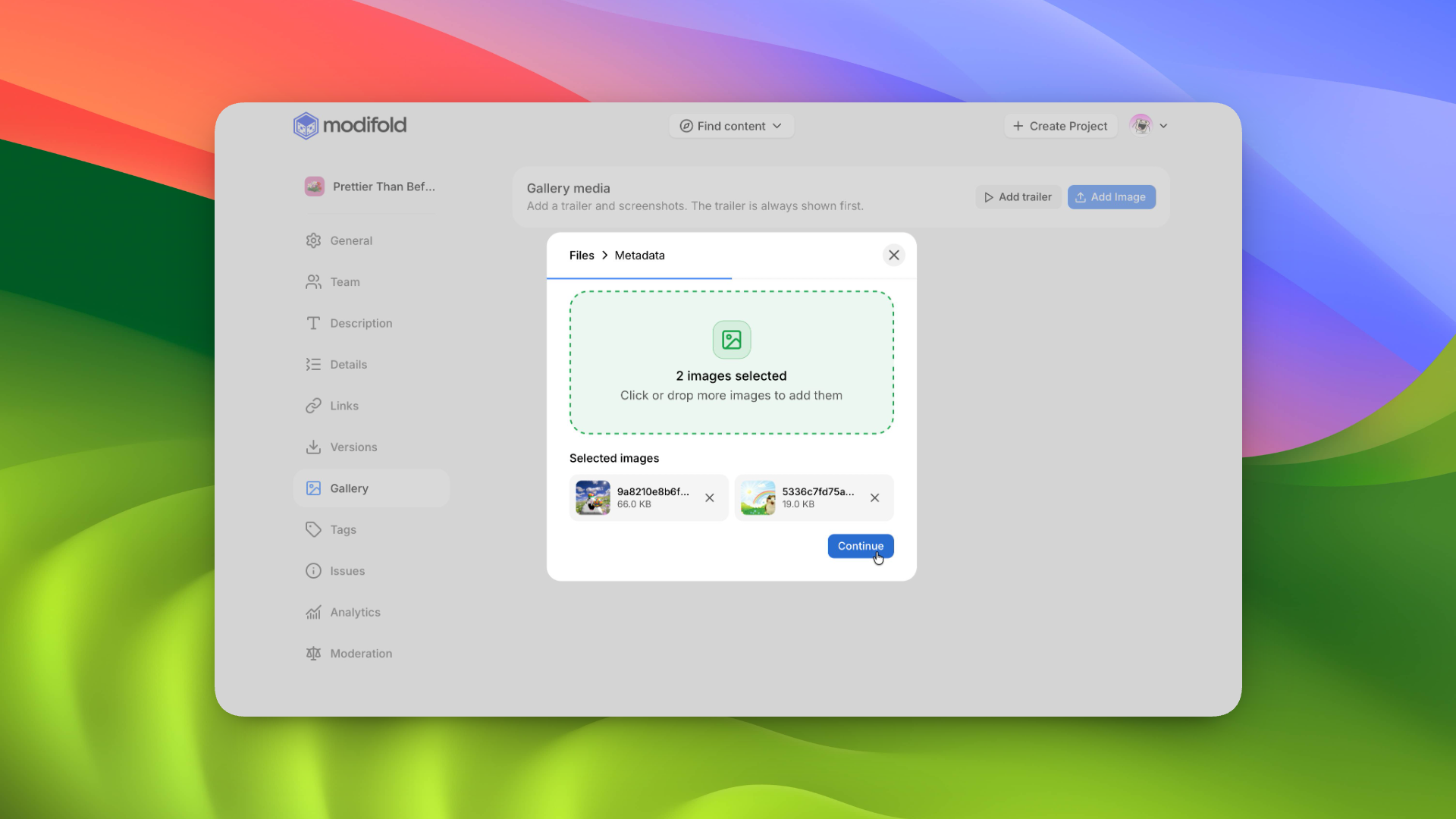
Files can be selected through the file picker or dragged into the upload window. Before uploading, you will see the full list, where you can remove an unwanted image and fill in the title, description, and other details for each file.
Previously, the entire process had to be repeated for every screenshot.
Settings are no longer lost by accident
If a settings page has unsaved changes and you try to leave, Modifold now warns you first.
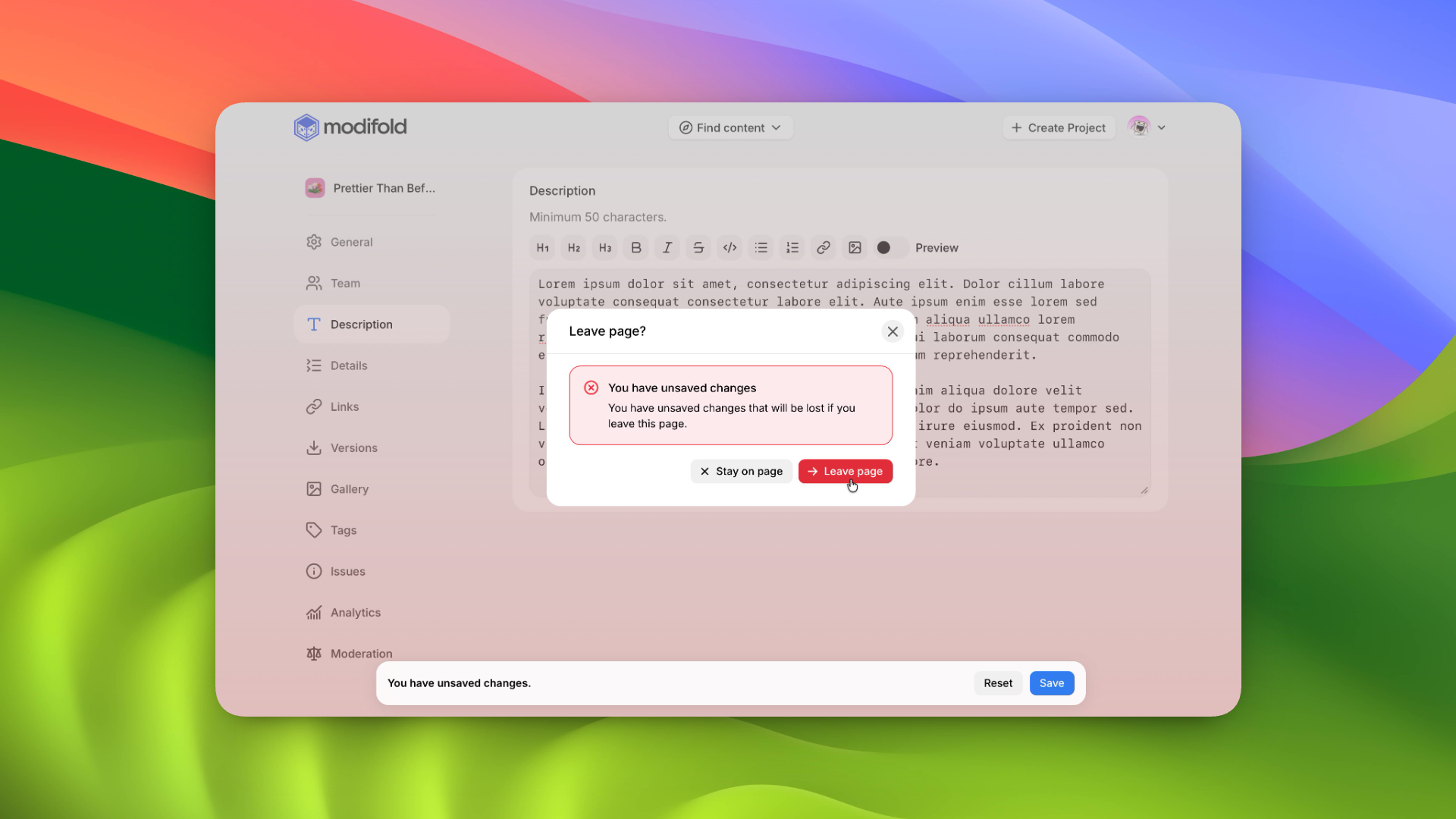
You can stay on the page and save your work or confirm that you want to leave. This works when moving to another settings section and when closing or reloading the page.
What is next
Teams and organizations now have a good foundation for working together, but we are not done yet. We will keep looking at which permissions are still missing, where settings still take too much time, and how working across several projects can be made easier.
Discover and the updated catalog will also keep growing as more projects, categories, and Hytale versions are added.
Thank you to everyone who publishes projects, reports bugs, and tells us what feels awkward to use. Most of this update came directly from that feedback.