Advanced Magic
The staff is a great teacher, but a poor librarian. Whatever you draw with the Crude Hex Staff lives only as long as you keep redrawing it. To save a real Hex - multiple glyphs, linked together, ready to pull out when you need them - you need three new things: a Hexbook, a Pedestal, and at optinally some Obelisks. All three are crafted at the Arcane Bench.
Gear up: the Arcane Bench
Open the Arcane Bench and look under Arcane → Hexcode. Every Hexcode item lives in this category - staffs, books, pedestals, obelisks, essences.
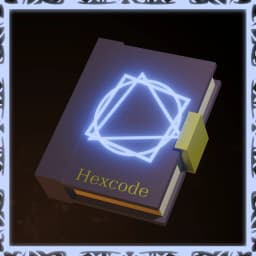
Terminology: A Hexbook is your spell library. It holds 6-12 finished Hexes and travels with you when you cast. You can hold as many hexbooks as you want
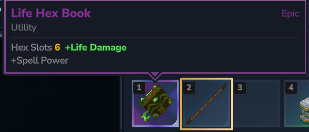
Hexbooks come in five elemental variants - Life, Fire, Ice, Arcane, and Void. The element is mostly cosmetic (color, particles, flavor) with small stat differences. Pick whichever fits the loadout you're building. We'll use Life as the running example.
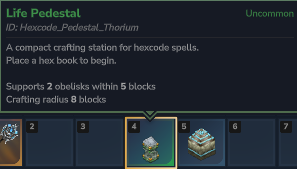
You'll also need a Pedestal. Pedestals come in their own set of variants - Arcane, Fire, Thorium, and Void - and each one carries different limits on how many obelisks it accepts and how far it scans for them. Craft whichever one matches your playstyle; the book and the pedestal don't need to share an element.
Setting up your station
Place the Pedestal somewhere with room to walk a full circle around it. This is your workbench - it reads your book, holds your essence, and projects glyphs into the air for you to shape.
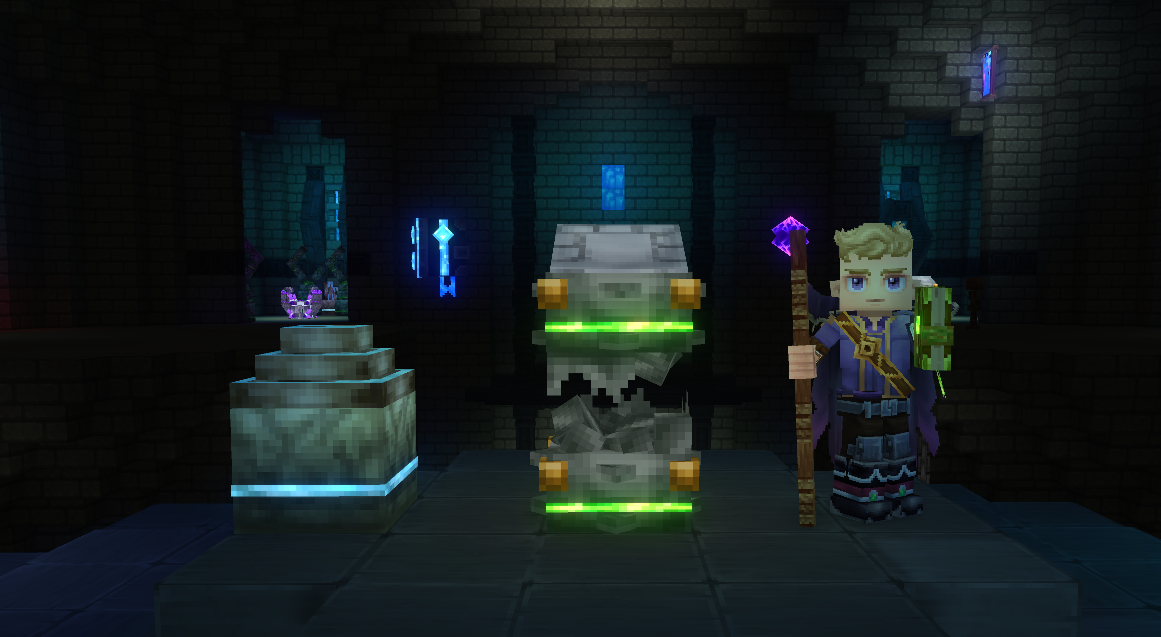
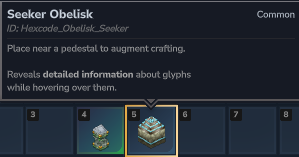
Terminology: An Obelisk is a passive amplifier. It does nothing on its own - it sits near a Pedestal and lends its Power and Handler to whatever you craft there.
Each Obelisk contributes a different handler. A Life obelisk feeds accuracy, a Seeker obelisk feeds information about what you're looking at, and so on. Higher Power means a stronger contribution.
The Pedestal scans nearby blocks within its range and registers obelisks up to its limit - the exact numbers depend on which Pedestal you crafted, so a Void Pedestal will accept far more obelisks than a Life one. Stand them up around the workbench and the Pedestal will pick up everything in reach.
NOTE: Pedestals are global, not per-player. If a friend places their book down first, you'll see their session - wait your turn, or build somewhere private.
Entering Crafting Mode
The Pedestal walks through four states: Idle → Ready → Selecting → Crafting. Knowing them helps you read what the station is doing.
Walk up to your Pedestal and drop your Hexbook on top. The book sits on top of the stone and the Pedestal goes from Idle to Ready.
Clicking it again will bring the pedestal from Ready to Selecting mode - glyphs you have access to will appear around the pedestal ready for you to select which one to edit.
NOTE: Your hexbook determines how many slots are visible. The "slots" when empty appear as grey circles. As you fill out your slots, you will see your hexes replace these spheres.
To enter Crafting Mode, hold your hexstaff and click on one of the slots available. It doesn't matter which one you choose for now. You know you did it correctly when an Orange Sphere appears above the Pedestal,
NOTE: The orange sphere is your Entrypoint to your hex. It is what starts the execution chain
Drawing your first two glyphs
Drawing here works the same as on the staff. Hold Secondary (RMB) to begin your Drawing Phase. Then, click and drag using Primary (LMB) to create your shape. Take as much time as you need when getting started. It will only check your shape once you release Secondary (RMB).
NOTE: Accuracy and Speed are both factors into the total quality of your glyphs. They will change color from Purple (okay) -> Light Blue (legendary) depending on how good these stats are. Accuracy determines how much Volatility the glyph costs while Speed determines how much Mana the glyph costs.
We're building a Projectile → Force chain: a projectile that, on hit, applies force in the target's look direction.
Start with drawing Force - the single circle ◯, pure Energy. Force pushes whatever the target is along the target's look direction.
Then draw the Projectile glyph - the two-shape combo ◯△, Energy over Time. It's your launcher: anything chained after it triggers when the projectile hits something.
NOTE: By default, Projectile writes what it hit to the "default variable" - think of this as your current target. When **Force follows Projectile, it applies force to whatever the current "default variable" is - and in this case, that is the thing hit by Projectile
Two glyphs floating, unlinked. Right now they don't know about each other.
Linking via the Next slot
This is the new mechanic. In Getting-Started you nested one shape inside another. Here, you wire glyphs together by their slots.
First, specify Projectile as the first glyph. Drag the Entrypoint to the Projectile glyph
Then, click the Projectile glyph to expose its slots. Find the Next slot, drag it onto the Force glyph, and release. The two glyphs are now chained - Projectile fires first, and on collision its Next slot triggers Force on whatever it hit.
Terminology: A Slot is an input or output on a glyph - a target, a magnitude, a direction. One special slot, Next, is the output that wires one glyph into another.
NOTE: Higher-tier glyphs cost more volatility, and a linked chain pays the cost for every glyph it contains. If your staff's volatility budget can't cover the chain, the spell will misfire when you cast it. Check the Glyph Index for tier costs.
Saving to the Hexbook
Once your Hex is wired, it auto-saves to the book sitting on the Pedestal. Pick the book back up - your new Hex travels with you. A book holds up to it's max amount of hexes; come back to the Pedestal any time to add, edit, or rewire.
Casting
Casting from a book is almost the same motion as casting from the staff alone, with one swap: the book is your library now.
Put the Hexstaff in your mainhand and the Hexbook in your offhand. Without both, casting from the book won't trigger.
Hold Secondary (RMB). Your saved Hexes orbit you, the same way Casting Mode worked with the staff - except the options are pulled from the book instead of being drawn on the fly. Hover the Projectile-Force Hex and release Secondary to set it as your Active Hex.
Press Primary (LMB) to cast. The projectile launches, hits, and Force fires through the Next link - the target gets shoved in the direction they're looking.
NOTE: Decay still applies. Every cast wears the Hex down a little. Re-select the hex to refresh it!
Where to go next
You now have the full loop: craft, station, draw, link, save, cast. Every other Hex you ever build is some variation of these same six steps with different glyphs.
For the full glyph catalog - tiers, slots, shape combinations, and what each one actually does - head to the Glyph Index.