Introduction
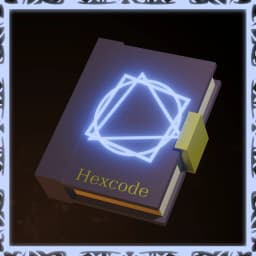
Hexcode is built upon Three Basic Shapes. That is…
1- □ Square
It means Divinity, the idea of Identity or Creation.
2- ◯ Circle
It means Energy. The presence of force or heat.
3- △ Triangle
It means Time. The passage of, or the duration through.
Beyond these basic three types, there exists three Anti-Shapes. These provide the Inverse Effect of the base three shapes
4- ◇ Diamond (Anti-Square)
Means Death, Chaos, and Destruction. The absence of order.
5- 𝟢 Oval (Anti-Circle)
It means the absence of Energy. To be Void or Cold.
6- ▽ Upside-Down Triangle (Anti-Triangle)
It means Immediate, Instant, or sometimes even Negative passage of time.
The combination of these six shapes are what form the backbone of every single glyph in Hexcode. The combination of ◯△ means Energy over Time. This manifests as what appears to be a Projectile - the physical creation of energy passing through time and space. All of hexcode follows this logic.
Refer to the Creating Glyphs section of the main document for how to create your glyphs. The following is every glyph in Hexcode in order of Tier and Type
Tier 1
These are the foundational glyphs. Single-shape draws.

Force
Applies directional force to the target. Does not deal damage directly. Direction, magnitude, and target can all be specified via the slots.
Delay
Delays execution of child glyphs. Everything after this glyph in the chain waits the specified time before continuing.

Halt
Instantly zeros all velocity on targets. Things stop moving. Useful for freezing mid-air after a Force launch, or stopping a Propel projectile. It can either be Immediate or over time - duration scales harshly against volatility cost.

Identify
Compares two values by identity and locks in the result as its value (like a math glyph). Returns -1 if A and B are different categories, 0 if they are identical, or +1 if they share a category but are not identical. A Position is treated as the block at that position.
Chaos
Randomly generates a number between the Min (default 0) and Max (default 1) values.

Drain
Drain is in the middle of a refactor - it may not behave properly
Used to modify Entity Stats like mana / stamina / health
Can be used to either gain knowledge of the target’s current stats OR to transfer from one stat to another (stamina -> mana or mana -> hp - etc)
Tier 2
Two-shape draws. These are the core toolbox for building useful hexes. Most of these cost very low mana or volatility, serving as a way to prop up the Tier 3 glyphs naturally.

Projectile
Your cheapest selector. Launches a projectile that triggers child glyphs on collision. Children do not execute until the projectile hits something. You can add Gravity, Bounces, or Speed as configuration options.

Beam
Raycasts from an entity in a direction and stores the first thing it hits. Your primary single-target selector. Has a limited range and costs more the longer the range.
Area
Can be a Circle, Square, or Cylindar area that grows from a point at the configured rate up until the desired size. Size is defined by two corners (numbers go from A -> (A, A, A) when inputted) and it will grow until the desired size is achieved, selecting every block or entity in the area as it grows.

Arc
Arcs selection to nearby entities from a target position at an interval, iterating through all nearby enemies within range at least once before re-iterating over the list again. Sorts from nearest to farthest.

Debug
The best way to get a peek into what hexcode is doing during execution. Connect to several variables to inspect their values. Sends debug info into the chat to you.

Conjure
Spawns a temporary area zone at a position. The zone can trigger child glyphs on an interval for entities inside it. You can also connect “immediate” to do things like add velocity to the zone and push it along, or warp it, or change its color.
Interfere
Hijacks active hex constructs or strips hex effects from targets. On persistent hex entities (Propel projectiles, Conjure zones, Arc chains): replaces their glyph chain with yours. On buffed entities: strips the buff. Children of Interfere become the injected payload, not continuations. The primary way to Counterspell.

Resonate
Appends a parallel glyph chain to an ally's active hex construct. You pay for your injected glyphs. Multiple casters can Resonate on the same construct. The cooperative counterpart to Interfere.

Output
Specifies an output location. Notably useful in Interfere to determine the "continuation" point of the existing glyph.
Will be deprecated in favor of the Slot glyph - which will be added in the Components update
Concentrate
Sustains downstream glyphs while the caster holds the primary interaction.
Releasing will trigger the execution of the OnRelease branch.
While sustained it adds +3 volatility budget per second to the hex.
You can additionally consume mana stamina or hp at a rate of 1:1 (up to 5 - then it's diminishing) per second. Cancels if any hit zero.
Note: Concentrate does not currently END the execution of the
Nextbranch when releasing. This behavior will be moved to a Trilean slot in the future but has not yet been added.
Tier 3
Three-shape draws. These are the Effects, the glyphs that do stuff. Generally, these are a lot more expensive than Tier 2 glyphs.

Scale
Scales an entity momentarily for a duration, reverting their shape once expired.

Disguise
Disguises a target creature as a reference creature for a duration, copying its model (and player skin) then reverting once expired. Entity to entity only.

Gust
Radial force explosion pushing all targets away from a center point. Small fixed concussive damage as a side effect

Growth*
Growth is currently under development and may not heal properly
Restores the natural state of targets. Heals entities, grows crops, repairs damaged blocks
Ward
Wards a Target entity by pointing every reference at a Deferral entity: while the ward holds, any glyph that resolves the Target acts on the Deferral instead.

Mage Armor
Gives a target temporary hitpoints for a set Duration. Received damage reduces the Mage Armor first instead of the caster's HP. Once it runs out, the status effect ends.

Erode
Weakens targets for a duration, increasing damage taken from all sources including melee. Does zero damage on its own. Pure setup for follow-up attacks.
Levitate
Reverses or nullifies gravity on targets for a duration. Zero intensity means weightless. Positive intensity means active upward pull. Negative intensity will pull to the ground faster.
Disclaimer: Due to a hytale limitation, your effectiveness with this will be VERY ping-dependant. I've tried several dozen solutions, the current implementation is the best variant so far.
Invisibility
Fades a target out of sight for a duration. As a value, returns how many seconds of the effect remain on the target (0 if none is active). If you receive damage, the effect goes away.

Burning Hands*
Not implemented - shape structure pending change
Shoots fire from your hands in a cone in front of you, selecting all entities as well in the area. Does some fire damage

Interact
On blocks: triggers block interactions remotely (opens doors, flips levers). The only glyph that can activate block interactions from a distance.
Shatter
Launches ice shard projectiles in a cone from a position. Each shard is a mini-projectile dealing ice damage on impact and allowing further execution of the hex.

Glaciate
Spawns ice blocks above targets that fall with gravity. Deals impact damage based on fall speed.

Terraform*
Rebalancing to prevent abuse. Disabled
Moves existing natural blocks (dirt, stone, sand, gravel) from one position to another. Block telekinesis. Only works on natural block types.

Ensnare
Disrupts terrain in a radius. Raises spike formations from the earth that damage entities walking over them. Area denial through terrain change. Can execute a glyph for every spike that is triggered.
Phase
Temporarily removes blocks from reality. Blocks become air for a duration, then snap back. Entities caught inside restoring blocks take crush damage, and that damage grows the longer the blocks were phased out. Children execute after blocks are restored.

Warp
Teleports targets to a destination position. High flat mana cost. Costs more volatility the further the warp distance.
Swap
Exchanges positions between two variable arrays element-by-element. Item at index i in A swaps position with item at index i in B. If arrays are different lengths, extra elements are skipped.

Domain
Domain Expansion. Decreases volatility cost while within your own domain. Enables triggering a glyph for every entity inside of, or who enters your domain.
Clashing
Clashing occurs when two domains interset. The domain with the higher Energy wins the clash. Energy has no use outside of this.

Illuminate
Makes the Target glow with an emissive colored light for a duration, visible to everyone. The light color comes from the current cast Style.
Tier 4
Four-shape glyphs make up the elemental tier. Every element ships as a pair: a ◯-leading offensive glyph that deals direct elemental damage, and a □-leading defensive glyph that applies a lingering status condition to the target.
All tier 4 glyphs convert a Resource into Damage. Defensive will convert that into duration, offensive will convert that into raw damage output.
Resources
Accumulating Resource is the primary way of dealing damage in Hexcode.
Larger spells will naturally accumulate more resources to expend on the glyph.
Each shape pertains to a certain resource
| Shape | Resource | Essence |
|---|---|---|
| ◇ | Fire | Fire_Essence |
| △ | Water | Water_Essence |
| ◯ | Lightning | Lightning_Essence |
| □ | Life | Life_Essence |
| 𝟢 | Ice | Ice_Essence |
| ▽ | Void | Void_Essence |
Whenever the shape appears in the hex, it will add to it's resource. Every shape contributes 8 to its resource by default, though a glyph can override that per shape.
For instance, Projectile (◯△) will add +8 Lightning and +8 Water resources.
The Tier 4 elemental glyphs deliberately dial this down to 2 per shape. They are what spends resources, so they are poor at building them - a Bolt (◯◯◯◯) contributes far less Lightning than its four Circles would suggest.
Utility glyphs (the math, comparison and vector glyphs) contribute nothing at all.
At any moment, you can run a Debug Glyph (△△) to view the current resources accumulated
Note: Contribution decays per resource, not per glyph. Effectiveness is
10^(-contributed / 20)against everything you have already put into that resource, so the first shape to touch a resource converts at full value and every later one converts for less. Two glyphs both feedingLightningshare the same decay curve. Use a variety of shapes, not just a variety of glyphs, to build broadly.
Note x2: When an Elemental consumes a resource, it lowers ALL resources available. So choose wisely which elemental you hope to execute - as you can't choose them all.
Fire
consumes the Fire resource

Scorch
| Element | Type |
|---|---|
| Fire | Offensive |
Direct burst of fire damage to the target. Your universal opener: no setup, no conditions, reliable damage on anything. When you just need to do some damage, this is the honest answer.
Ignite
| Element | Type | Weak | Resistant |
|---|---|---|---|
| Fire | Defensive | Water | Fire, Life, Ice |
Applies the Burning condition. Fire damage over time that ticks for a duration and spreads to adjacent flammable blocks. Deals nothing upfront: the fire does the work. Targets extinguish by entering water.
Water
consumes the Water resource

Drown
| Element | Type |
|---|---|
| Water | Offensive |
A crushing surge of water damage. A solid mid-weight strike with a heavy, deliberate cadence. No conditions to satisfy, just weight behind the hit.
Rebreathing
| Element | Type | Weak | Resistant |
|---|---|---|---|
| Water | Defensive | Lightning | Fire, Water, Ice |
Applies the Soaked condition. Floods the target's lungs with air so it can breathe underwater for the duration, and leaves it dripping wet - resistant to Fire, Water and Ice, but conductive enough to take double damage from Lightning. Deals nothing on its own.
Lightning
consumes the Lightning resource

Bolt
| Element | Type |
|---|---|
| Lightning | Offensive |
Instant high-voltage discharge. The burst option: front-loaded damage with no travel time and no wind-up. Some of its Complexity pays for that instantaneous, unavoidable delivery.

Electrocute
| Element | Type | Weak | Resistant |
|---|---|---|---|
| Lightning | Defensive | N/A | Lightning |
Applies the Electrocuted condition. Static charge that ticks small lightning damage over the duration and doubles the target's horizontal movement speed while it holds. Note that it cuts incoming Lightning damage in half, so it is a poor setup for a follow-up Bolt - it is a mobility tool as much as a debuff, on you or on someone else.
Life
consumes the Life resource

Health Surge
| Element | Type |
|---|---|
| Life | Offensive |
Heals the target for the provided Complexity.

Fortify
| Element | Type | Weak | Resistant |
|---|---|---|---|
| Life | Defensive | N/A | N/A |
Wards the target against a single hit. The next instance of damage they take is nullified entirely, no matter how large, and the ward is spent. The Life resource spent buys the window it stays up for, and ResourceLimit caps how much Life it is allowed to eat. Immediate fires when the ward goes up; Next fires when it breaks or expires, carrying the attacker that broke it. Entity-only; does not act on blocks.
Ice
consumes the Ice resource

Snap
| Element | Type |
|---|---|
| Ice | Offensive |
A brittle burst of ice damage. Lighter on raw damage than the other offensive glyphs; its Complexity leans into reach and the cold bite rather than pure impact.

Freeze
| Element | Type | Weak | Resistant |
|---|---|---|---|
| Ice | Defensive | Fire | Ice |
Applies the Chilled condition. Slows movement and attack speed, stacking toward a full Freeze. Control, not damage: kite and peel while the target seizes up.
Void
consumes the Void resource
[◯▽▽▽] Extinguish
| Element | Type |
|---|---|
| Void | Offensive |
???
[□▽▽▽] Decimate
| Element | Type | Weak | Resistant |
|---|---|---|---|
| Void | Defensive | ?? | Void |
???
Utility Glyphs
Glyphs to get you from concept to number. Utility glyphs are generally used to setup and prop up effect glyphs. They take no mana and use minimal vitality.
Delay
Delays execution of child glyphs. Everything after this glyph in the chain waits the specified time before continuing.
Self
Returns a reference to the caster entity. The starting point for any self-targeting hex. As a value, it provides the caster reference directly. As an effect, stores the caster in a variable slot.
Chaos
Randomly generates a number between the Min (default 0) and Max (default 1) values.

Greater
Deprecated. Branches execution based on comparison. If A is greater than B, the first child executes. Otherwise, the second child executes
Less
Deprecated. Branches execution based on comparison. If A is less than B, the first child executes. Otherwise, the second child executes

Add
Adds two values together. Works on numbers, positions, rotations. First number type is authoritative. If the first number is a Vector (rotation or position), the result will also be a Vector
Subtract
Subtracts one value from another. For entity and block lists, removes matching elements. If only A/B is filled with a rot/pos, the value is inverted. Rot(1, 2, 3) becomes Rot(-1, -2, -3). If the first number is a Vector (rotation or position), the result will also be a Vector

Multiply
Multiplies two values together. First number type is authoritative. If the first number is a Vector (rotation or position), the result will also be a Vector

Divide
Divides one value by another. Division by zero returns the original value.

Modulo
Returns the remainder of one value divided by another.

Equal
Deprecated - use Compare. Two modes. With both inputs wired: branches execution (first child if equal, second child if not). With only A/B wired: assigns A/B's value to the output slot.
Compare
Compares A and B (both default to zero) and branches to the Greater, Less, or Equal output. As a value, returns whatever is wired into the winning branch - unless it has already executed, in which case it returns the last result (-1 for Less, 0 for Equal, +1 for Greater). Entities compare by UUID: identical entities are Equal, two different entities are Greater, and an entity compared against another type is converted to that type first
Identify
Compares two values by identity and locks in the result as its value (like a math glyph). Returns -1 if A and B are different categories, 0 if they are identical, or +1 if they share a category but are not identical. A Position is treated as the block at that position.

Position
Constructs a position from X, Y, Z components. Wire number glyphs into each component. Wiring a Variable or an Entity (i.e. Self) will extract the coordinate from that entity. If an Entity is connected to Slot X, the X coordinate of the entity will be inputted there.

Rotation
Constructs a rotation from pitch, yaw, roll components. Wire number glyphs into each component. Wiring a Variable or an Entity (i.e. Self) will extract the coordinate from that entity. If an Entity is connected to Slot Pitch, the pitch of the entity will be inputted there

Query
The inverse of Position and Rotation. Where those build a value out of three components, Query pulls one component back out of whatever is wired to Reference. The Trilean toggle picks which one, and what it means depends on what you wired in. A Number has only one channel, so all three states hand it straight back.
| Reference | -1 | 0 | +1 |
|---|---|---|---|
| Entity | Stamina | Mana | Health |
| Position or Block | X | Y | Z |
| Rotation | Pitch | Yaw | Roll |
| Color | Red | Green | Blue |
| Number | the number | the number | the number |
Leave Reference empty and Query reads the spell itself instead: -1 gives the volatility you started with, 0 gives what is left, and +1 gives the total resources the cast has accrued so far.
Wiring a single-shape glyph into the Trilean slot reads that shape's Resource instead of using its value - Force reads Lightning, Delay reads Water, Chaos reads Fire, Drain reads Ice, Halt reads Void, and Identify reads Life. The glyph is only being pointed at, never run, so no force is applied and no delay happens. This only works with Reference empty; wire something into Reference and the Trilean slot goes back to reading values normally.

Style
Deprecated - use Color/Shape/Scale/Sound instead.
Sets the color of the execution at this point. Returns a 4 param vector (R, G, B, A) if value extracted

Color
Overrides the active hex color with RGBA (0-255) for the rest of the hex.

Shape
Adopts the appearance of another glyph for the rest of the hex.

Sound
Scales the volume of sounds emitted by the rest of the hex.

Is Holding
Returns 1 if the caster is holding the primary cast button, 0 otherwise.

Power
Calculates A to the power of B

Root
Calculates A to the root of B
Sin
Calculates the sin of A

Cos
Calculates the cos of A
Tan
Calculates the tan of A

PI
Returns the value of PI

Abs
Returns the absolute value of an input. Converts vector -> magnitude as well.

Floor
Rounds A down to the nearest whole number. Preserves type: Positions and Rotations are floored component-wise. Entities, Blocks and Colors pass through unchanged.

Ceiling
Rounds A up to the nearest whole number. Preserves type: Positions and Rotations are ceiled component-wise. Entities, Blocks and Colors pass through unchanged.

Round
Rounds A to the nearest whole number. Preserves type: Positions and Rotations are rounded component-wise. Entities, Blocks and Colors pass through unchanged.

Dot Product
Derives the dot product of two vectors. Will convert a number to a vector (i.e. 1 = (1, 1, 1)) or a rotation to a vector with a magnitude of 1.
Cross Product
Derives the cross product of two vectors. Will convert a number to a vector (i.e. 1 = (1, 1, 1)) or a rotation to a vector with a magnitude of 1.

Variable
Reads an input slot and saves it to it’s own reference, allowing for creation of a “snapshot” in time. Also enables outputting to another variable to overwrite it. Sets the read value as the "default variable" too.
If it has not been run inside the glyph execution (i.e. linked to a Slot of another glyph) it will take the "Value Of" whatever the input is.

Number 1
Number 2
Number 3
Number 4
Number 5
Number 6
Number 7
Number 8
Number 9

Number 10

Number 11

Number 12

Number 13

Number 14

Number 15
Number 16
Unimplemented/Planned/Partially Working Glyphs
Boolean Values -1 (false) 0 (equal) +1 (true)
[―◯] IsEntity*
-1 not, 0, is entity, 1 is player
[―□] IsBlock*
-1 not a block, 0 air block, 1 solid block
[―V] IsNumber*
-1 not a number, 0 is zero, 1 is a number
[―><] IsVector*
-1 not a vector, 0 rotation, 1 position
Conditions
Condition glyphs pause execution and resume the chain when a game event happens. The following are implemented:

OnPrimary
Resumes when the caster performs a primary (attack) interaction.

OnSecondary
Resumes when the caster performs a secondary (use) interaction.

OnUse
Resumes when the caster uses an item.
OnCast
Resumes when the caster casts another hex.
OnDeath
Resumes when the subject dies; the killer (if known) is placed in slot 0.
The following are planned but not yet implemented:
[|◯] OnAttack*
[|><] OnMove*
[|ΛV] OnRotate*
[|▽] OnSleep*
*Glyphs are not fully implemented or are a bit buggy in the current version of Hexcode.